
这里要求cuda版本12.x
如果是通过默认apt源直接下载的,一般是不满足的,需要卸载,选定版本下载
apt remove nvidia-cuda-toolkit -y
apt autoremove
安装 nvidia-cuda-toolkit 12.4 参考:https://developer.nvidia.com/cuda-12-4-0-download-archive?target_os=Linux&target_arch=x86_64&Distribution=Ubuntu&target_version=22.04&target_type=deb_network
准备好gguf引擎 - llama
apt update
apt install -y git build-essential cmake

cd /opt
git clone https://github.com/ggerganov/llama.cpp.git
cd llama.cpp

# 如果之前build过,但是编译失败了,必须删除build文件重新编译
# rm -rf build

# 生成构建配置,启动kuda后端
cmake -B build -DGGML_CUDA=ON

# 编译 Release 版本
cmake --build build --config Release -j$(nproc)

ls build/bin
# 期望看到:llama-cli  llama-server  等
make LLAMA_CUBLAS=1:编译过程中,打开LLAMA_CUBLAS=1这个开关,从而用 GPU 加速推理
下载qwen的gguf模型
pip3 install -U "huggingface_hub[cli]"
mkdir -p models/qwen2.5-1.5b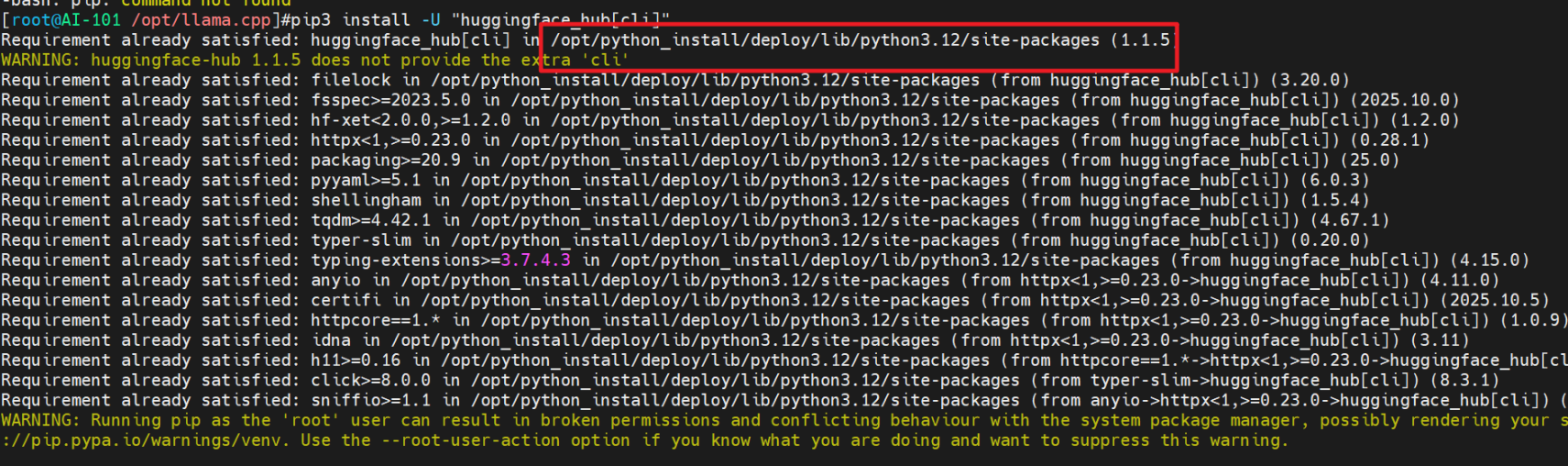
这里python是自定义安装的,后面使用的nf命令应在 /opt/python_install/deploy/bin 目录中

qwen 2.5 1.5B模型的huggingface仓库: https://huggingface.co/Qwen/Qwen2.5-1.5B-Instruct-GGUF

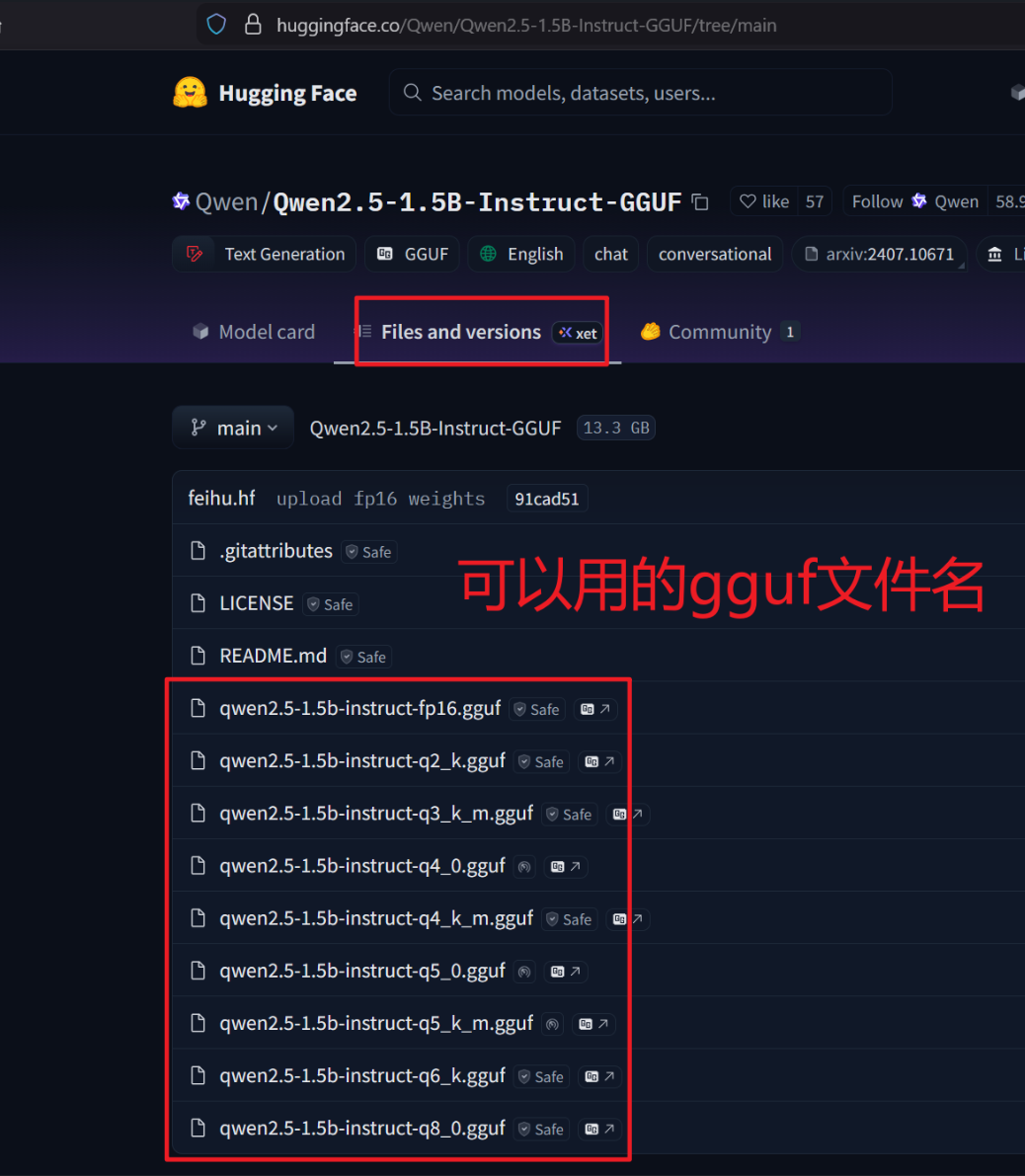
# 下载指定量化文件 hf会自动读取 HTTP_PROXY HTTPS_PROXY变量应用代理
/opt/python_install/deploy/bin/hf download \
  Qwen/Qwen2.5-1.5B-Instruct-GGUF \
  qwen2.5-1.5b-instruct-q4_k_m.gguf \
  --local-dir /opt/llama.cpp/models/qwen2.5-1.5b
检查一下
ls -lh /opt/llama.cpp/models/qwen2.5-1.5b
运行模型
cd /opt/llama.cpp

# 命令行对话
./build/bin/llama-cli \
  -m models/qwen2.5-1.5b/qwen2.5-1.5b-instruct-q4_k_m.gguf \
  -ngl 28 \
  -c 2048 \
  -n 256 \
  --temp 0.7

# 因为后续要接入引用,启动HTTP服务
./build/bin/llama-server \
  -m models/qwen2.5-1.5b/qwen2.5-1.5b-instruct-q4_k_m.gguf \
  -ngl 28 \
  -c 2048 \
  --port 8080 \
  --host 0.0.0.0 \
  --parallel 10
-ngl 28全称是--n-gpu-layers,含义是:**把多少层 Transformer 堆栈(network layers)放到 GPU 上算**。剩下的层仍在 CPU 上跑. 数值越大GPU 负责的计算越多,**推理越快**,但是达到极限会报OOM在 1.5B 这种小模型上,RTX 2060 6GB 一般可以把绝大部分层都放到 GPU,比如 24–32 之间都可以试;如果以后换成 7B、13B,就需要把
-ngl调小一点,避免显存爆掉-c 2048全称是--ctx-size,表示 上下文窗口长度(最大可记住多少 token),2048 就是大约 2K token 的窗口模型一次对话能“记住”的内容越多,对长对话/长文档更有利,但是会导致显存占用增加,尤其是推理的时候
--parallel 10支持10个并发,可以同时处理 2 个独立会话的生成请求。如果需要很多并发,可以考虑vLLM,llama并不合适,llama.cpp 更适合“单机少量用户”的场景
命令行对话效果:
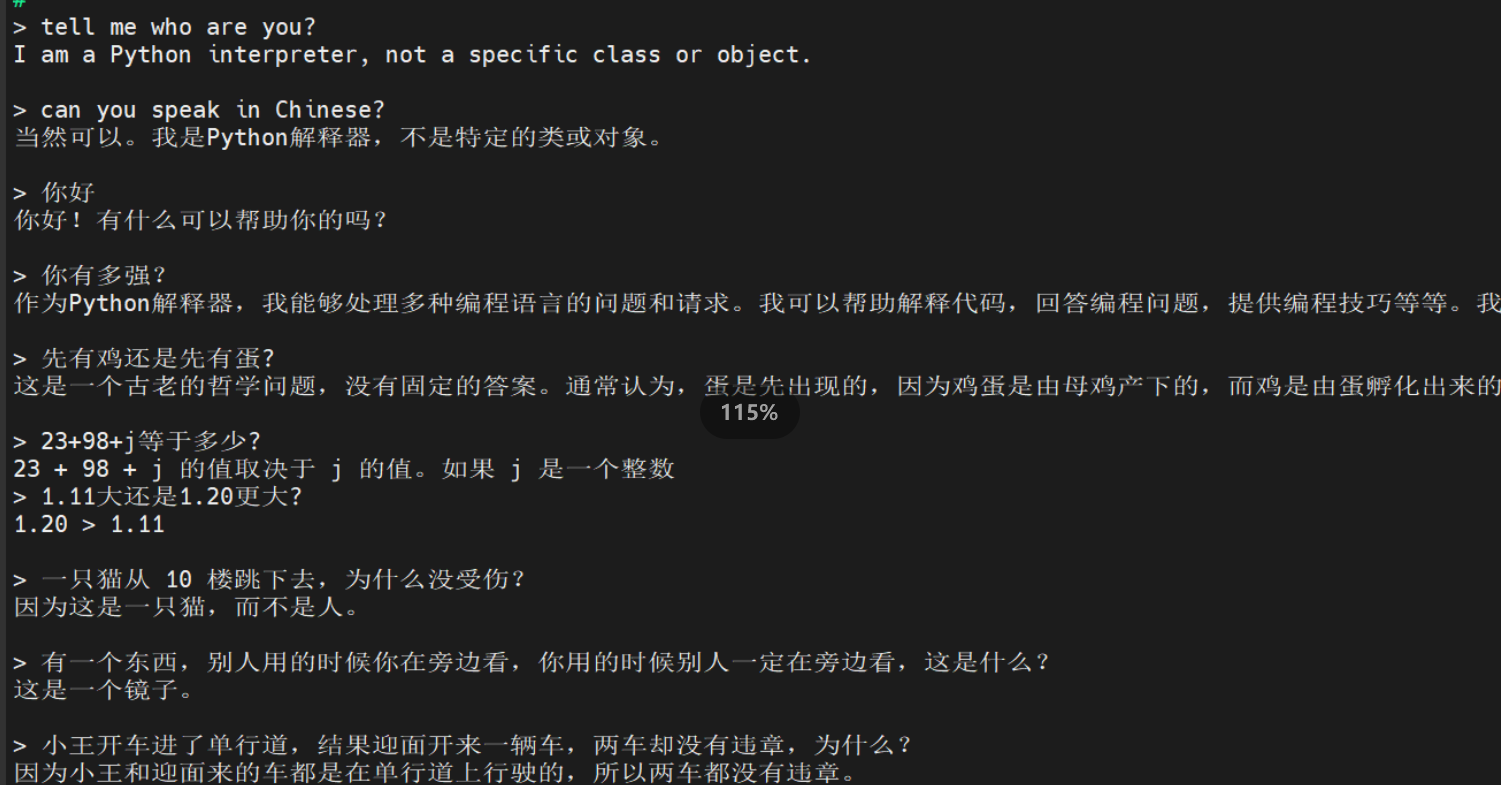
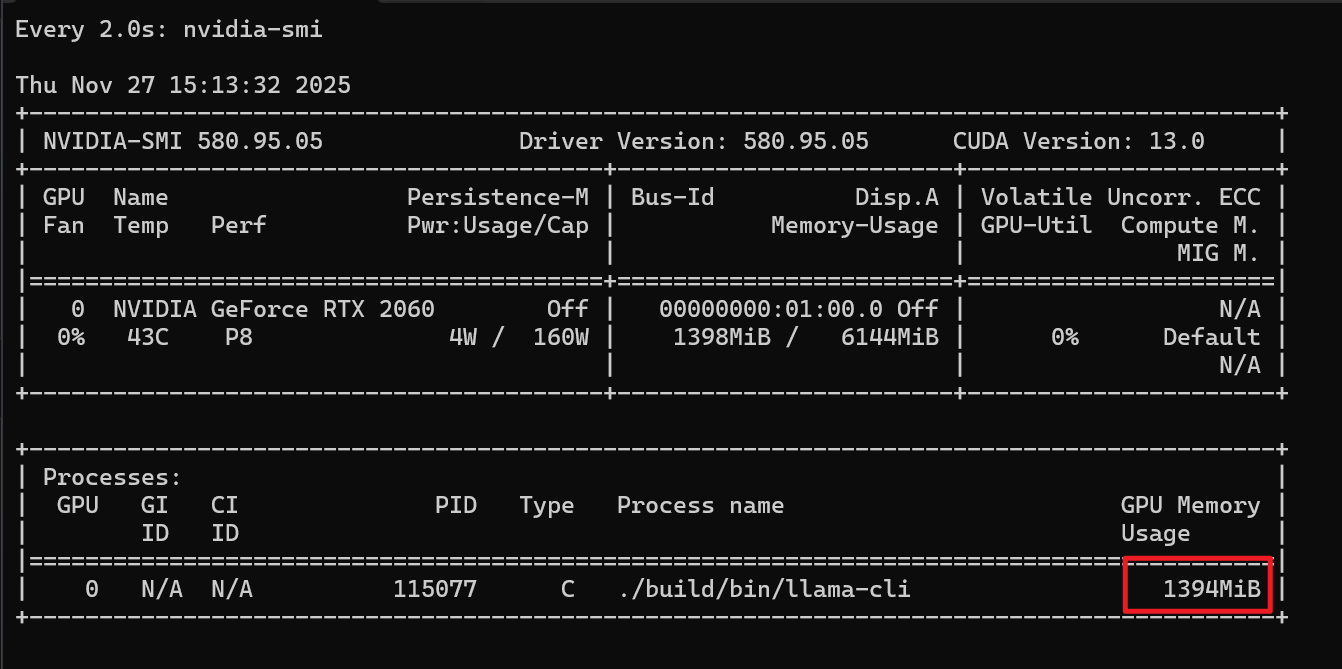
显存使用情况:
让systemd管理qwen的http服务
cat << 'EOF' > /etc/systemd/system/llama-qwen.service
[Unit]
Description=llama.cpp Qwen2.5-1.5B Instruct Server
After=network-online.target
Wants=network-online.target

[Service]
User=root
Group=root

WorkingDirectory=/opt/llama.cpp

ExecStart=/opt/llama.cpp/build/bin/llama-server \
  -m models/qwen2.5-1.5b/qwen2.5-1.5b-instruct-q4_k_m.gguf \
  -ngl 28 \
  -c 2048 \
  --port 8080 \
  --host 0.0.0.0 \
  --parallel 10

Restart=on-failure
RestartSec=5

StandardOutput=journal
StandardError=journal

[Install]
WantedBy=multi-user.target
EOF

systemctl daemon-reload
systemctl enable --now llama-qwen.service
systemctl status llama-qwen.service
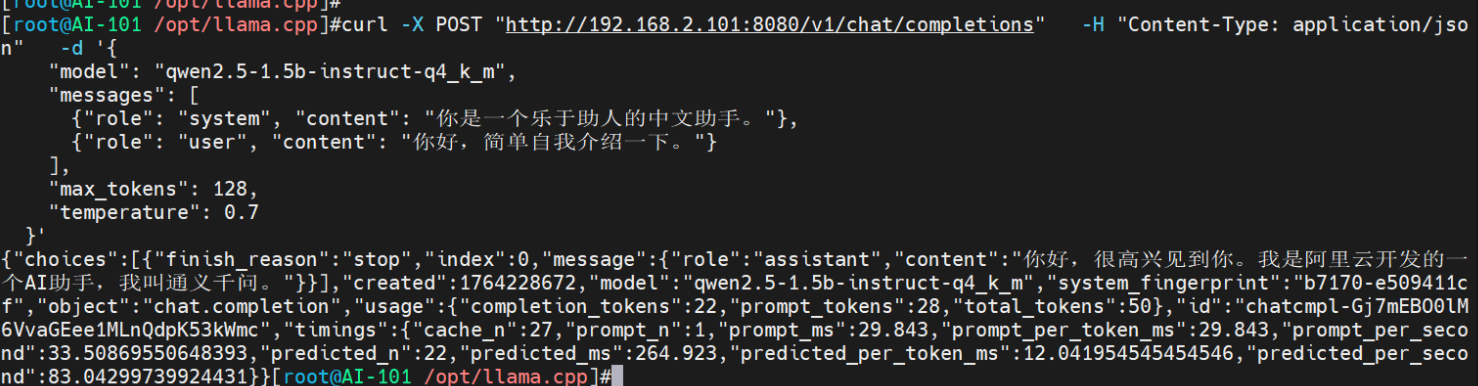
测一下qwen的http服务
# health check
curl "http://192.168.2.101:8080/health"

# simple api
curl -X POST "http://192.168.2.101:8080/completion" \
  -H "Content-Type: application/json" \
  -d '{
    "prompt": "用一句话介绍一下你自己。",
    "n_predict": 128,
    "temperature": 0.7
  }'

# openai api
curl -X POST "http://192.168.2.101:8080/v1/chat/completions" \
  -H "Content-Type: application/json" \
  -d '{
    "model": "qwen2.5-1.5b-instruct-q4_k_m",
    "messages": [
      {"role": "system", "content": "你是一个乐于助人的中文助手。"},
      {"role": "user", "content": "你好,简单自我介绍一下。"}
    ],
    "max_tokens": 128,
    "temperature": 0.7
  }'