

当前机器系统:ubuntu22.04
查看机器有哪些类型GPU
lspci | grep -Ei 'vga|3d|display'[root@AI-101 ~]#lspci | grep -Ei 'vga|3d|display'
00:17.0 SATA controller: Intel Corporation Device 43d2 (rev 11)
01:00.0 VGA compatible controller: NVIDIA Corporation TU104 [GeForce RTX 2060] (rev a1)
[root@AI-101 ~]#安装驱动
apt update

apt install -y ubuntu-drivers-common
查看ubuntu上显卡版本
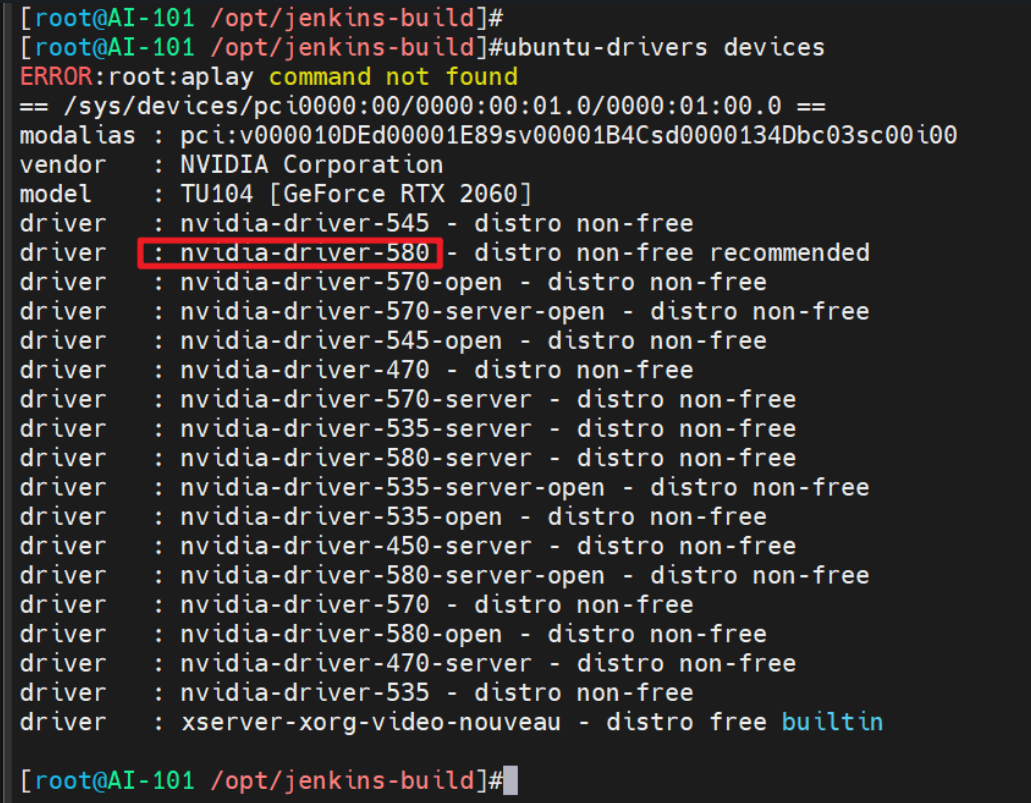
注意recommended字段,那么应安装驱动 nvidia:580
ubuntu-drivers install nvidia:580安装完成后重启机器 reboot
查看GPU相关参数
nvidia-smi

# 持续观察,每两秒刷新
watch -n 2 nvidia-smi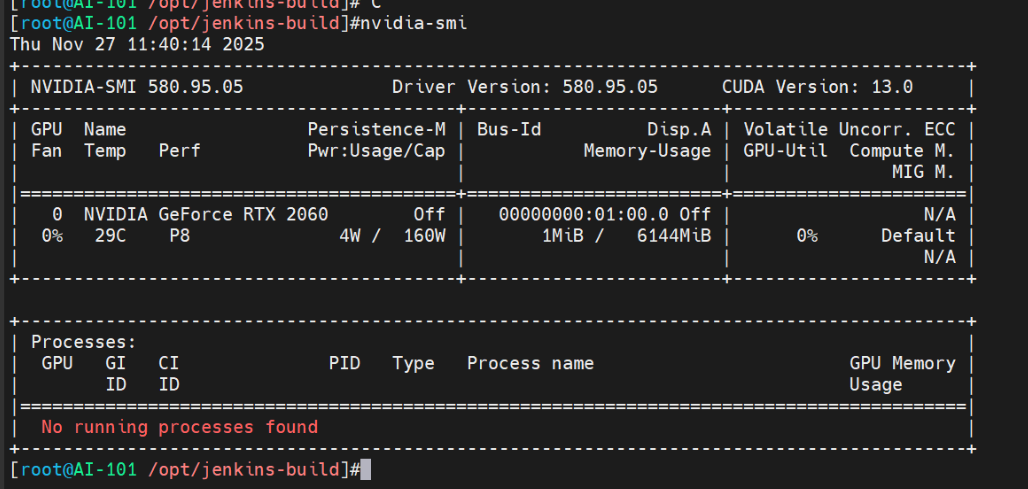
Temp:GPU 温度,长期高于 80–85℃ 要关注散热Pwr: Usage/Cap:当前功耗 / 理论上限,接近上限且温度高说明机房/风道可能吃紧。GPU-Util:GPU 利用率(百分比),判断算力有没有“吃饱”底部
Processes区块:PID/Process name/GPU Memory,用来查“是谁在占显存、哪个任务在跑”
NVIDIA GeForce RTX 2060Memory 6144 MiBGPU-Util 0%Temp 29C:一块 6GB 的 2060,当前几乎空闲且温度很低,“基础硬件 + 驱动”完全 OK,可以开始跑任务